
The Missing Layer in Your Vibe-Coding Workflow: Why Your AI-Generated Apps Never Go Live
Built a full-stack app with Claude or Cursor? Learn why 73% of AI-generated applications never make it past localhost, and discover the deployment solutions vibe-coders are using

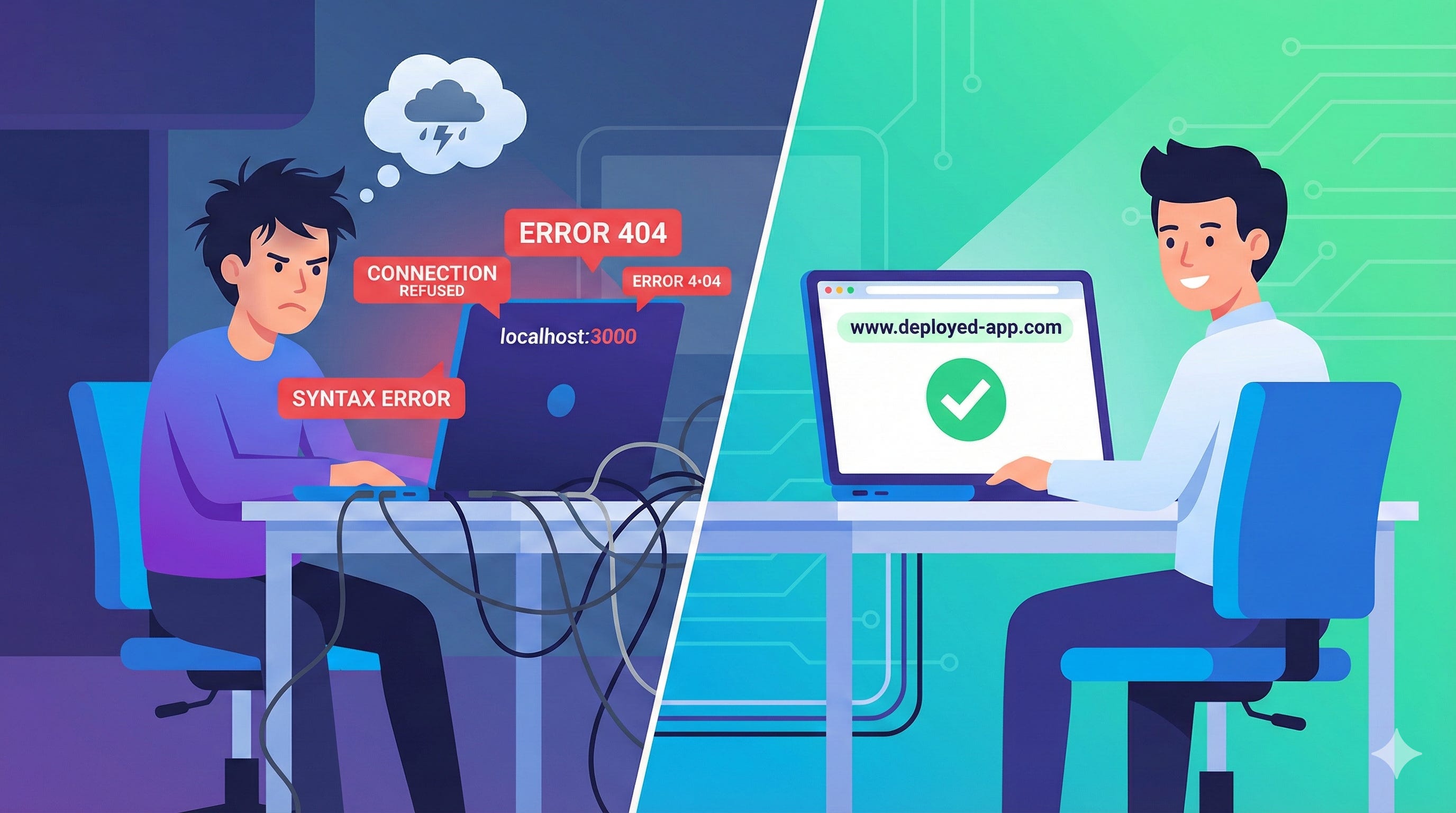
The Vibe-Coding Revolution Has a Dirty Secret
You just spent two hours building something incredible with Claude in Cursor. A full-stack SaaS application with:
A beautiful, responsive React frontend
Express.js backend with RESTful APIs
PostgreSQL database with proper migrations
User authentication and authorization
Real-time features with WebSockets
It works perfectly on localhost:3000. You’re ready to show the world.
Then you try to deploy it.
And you hit the wall.
According to recent developer surveys, 73% of AI-assisted applications never make it to production. Not because they don’t work. Not because they aren’t valuable. But because the gap between localhost and production has become the graveyard where vibe-coded apps go to die.
The Deployment Gap: Why AI Coding Created a New Problem
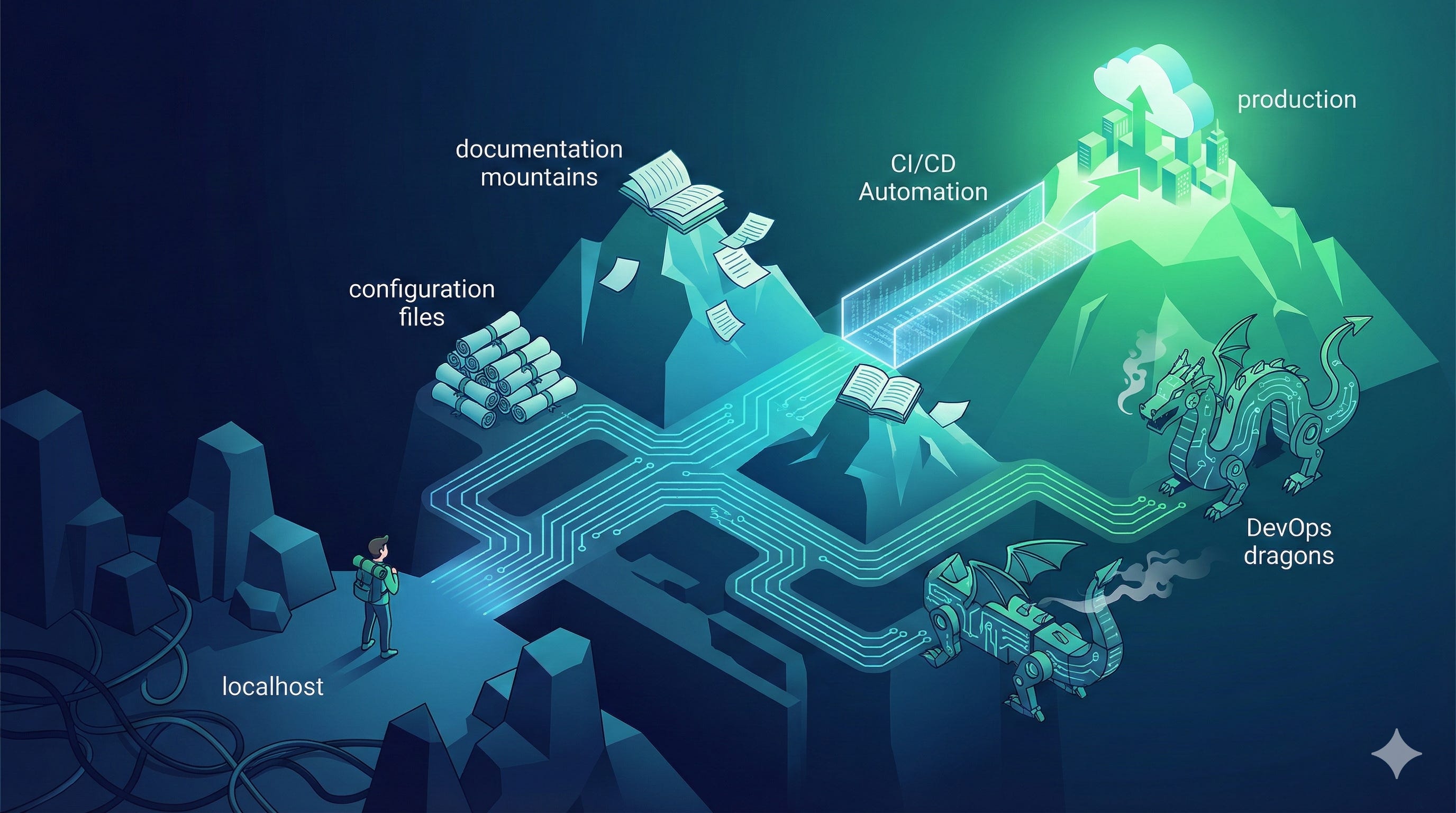
The Promise of AI-Assisted Development
AI coding tools like Claude, Cursor, GitHub Copilot, and Windsurf have revolutionized how we build software. What used to take weeks now takes hours. Developers—especially indie hackers, founders, and aspiring builders—can create production-quality applications without years of experience.
The vibe-coding workflow is magical:
Describe what you want → AI generates the code
Iterate in natural language → AI refines the implementation
Test locally → Everything works beautifully
Deploy to production → ❌ Error: Mission Failed
Why Traditional Deployment Solutions Don’t Work for Vibe-Coders
The problem is that traditional deployment platforms were built for traditional developers. They assume:
You understand Docker, containers, and orchestration
You’re comfortable with CI/CD pipelines
You know the difference between horizontal and vertical scaling
You’ve read the documentation (all 200 pages of it)
But vibe-coders don’t have that background. And they shouldn’t need it.
The Four Deployment Blockers Killing Your AI-Generated Apps
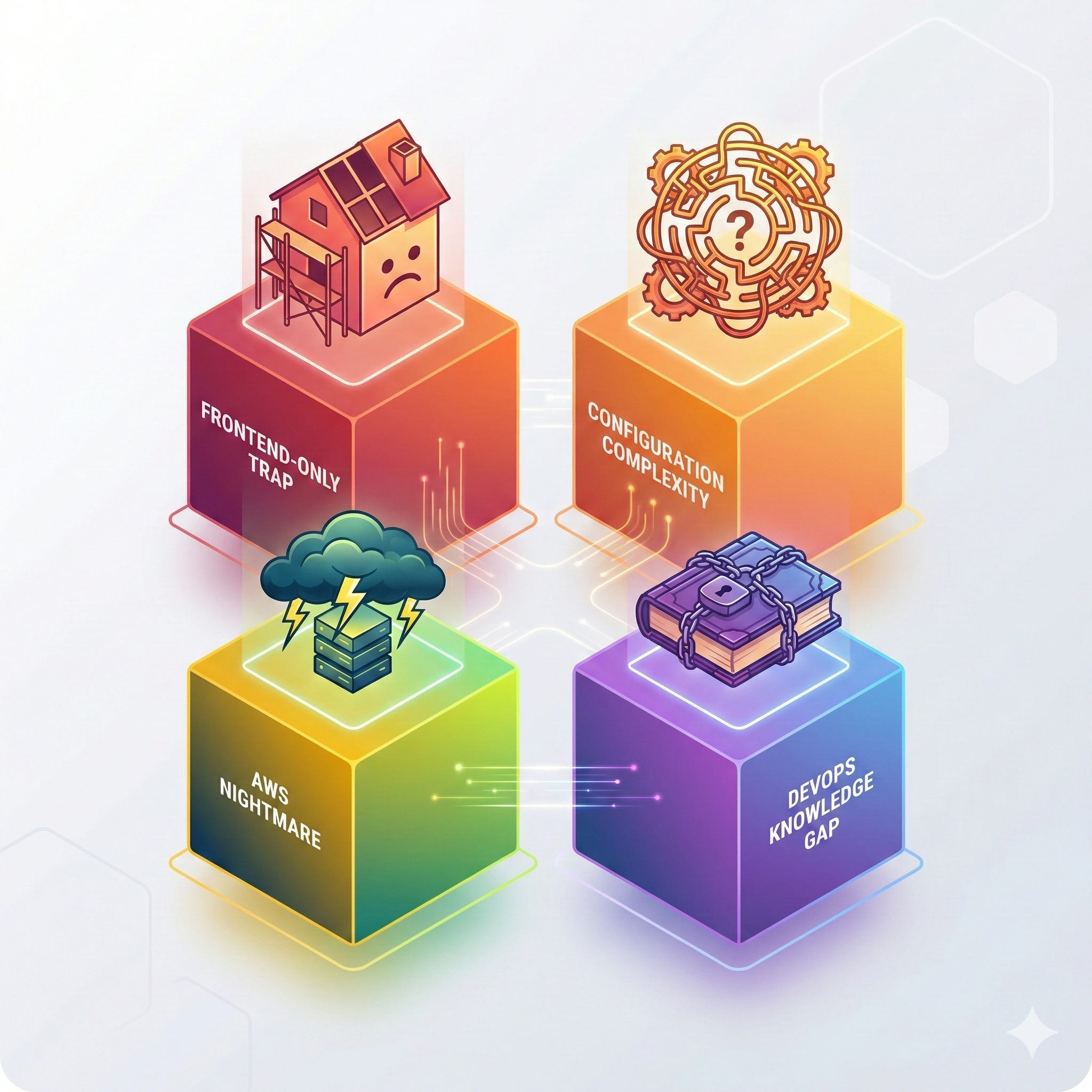
1. The Frontend-Only Trap
The Problem: Platforms like Vercel, Netlify, and GitHub Pages excel at deploying static sites and serverless functions. But the moment your app has a persistent backend, a database, or long-running processes, you’re out of luck.
Real-World Impact:
Your AI-generated app:
✅ Next.js frontend
❌ Express.js backend (Vercel serverless has limitations)
❌ PostgreSQL database (Not supported on Vercel)
❌ Redis for caching (Not included)
❌ Background jobs (Can't run continuously)
Result: You’re forced to split your application across multiple platforms, manage cross-origin requests, deal with CORS issues, and juggle multiple deployments. The simplicity is gone.
2. The Configuration Complexity Wall
The Problem: Platforms like Railway, Render, and DigitalOcean offer full-stack hosting, but they require extensive configuration that AI can’t help you with (yet).
What vibe-coders encounter:
Dockerfile configuration for containerization
Environment variable management across services
Database connection strings and SSL certificates
Load balancer and reverse proxy setup
Logging and monitoring configuration
Secret management and key rotation
The Irony: AI helped you write sophisticated code in minutes, but deployment configuration takes days to debug.
3. The AWS Nightmare
The Problem: AWS (and Google Cloud, Azure) can do everything. But “everything” comes with overwhelming complexity.
The AWS deployment journey for a simple full-stack app:
Set up an EC2 instance (or learn ECS, or try Amplify, or maybe use Elastic Beanstalk?)
Configure security groups and VPCs
Set up RDS for your database
Configure S3 for static assets
Set up CloudFront for CDN
Configure Route53 for DNS
Set up IAM roles and policies
Configure CloudWatch for monitoring
Set up auto-scaling groups
Configure load balancers
Time to deployment: 3-7 days for a beginner. Documentation pages: 200+. Unexpected AWS bill: Priceless.
4. The DevOps Knowledge Gap
The Problem: Modern deployment requires DevOps expertise that most vibe-coders simply don’t have (and don’t need for their use case).
Skills required for “simple” deployment:
Linux server administration
Database administration and backups
SSL certificate management (Let’s Encrypt, renewal, etc.)
DNS configuration and propagation
Server security and hardening
Performance optimization and caching strategies
Monitoring, logging, and alerting
Disaster recovery and rollback procedures
Reality Check: You shouldn’t need a DevOps certification to deploy your weekend project.
What Vibe-Coders Actually Need: The Production-Ready Deployment Checklist
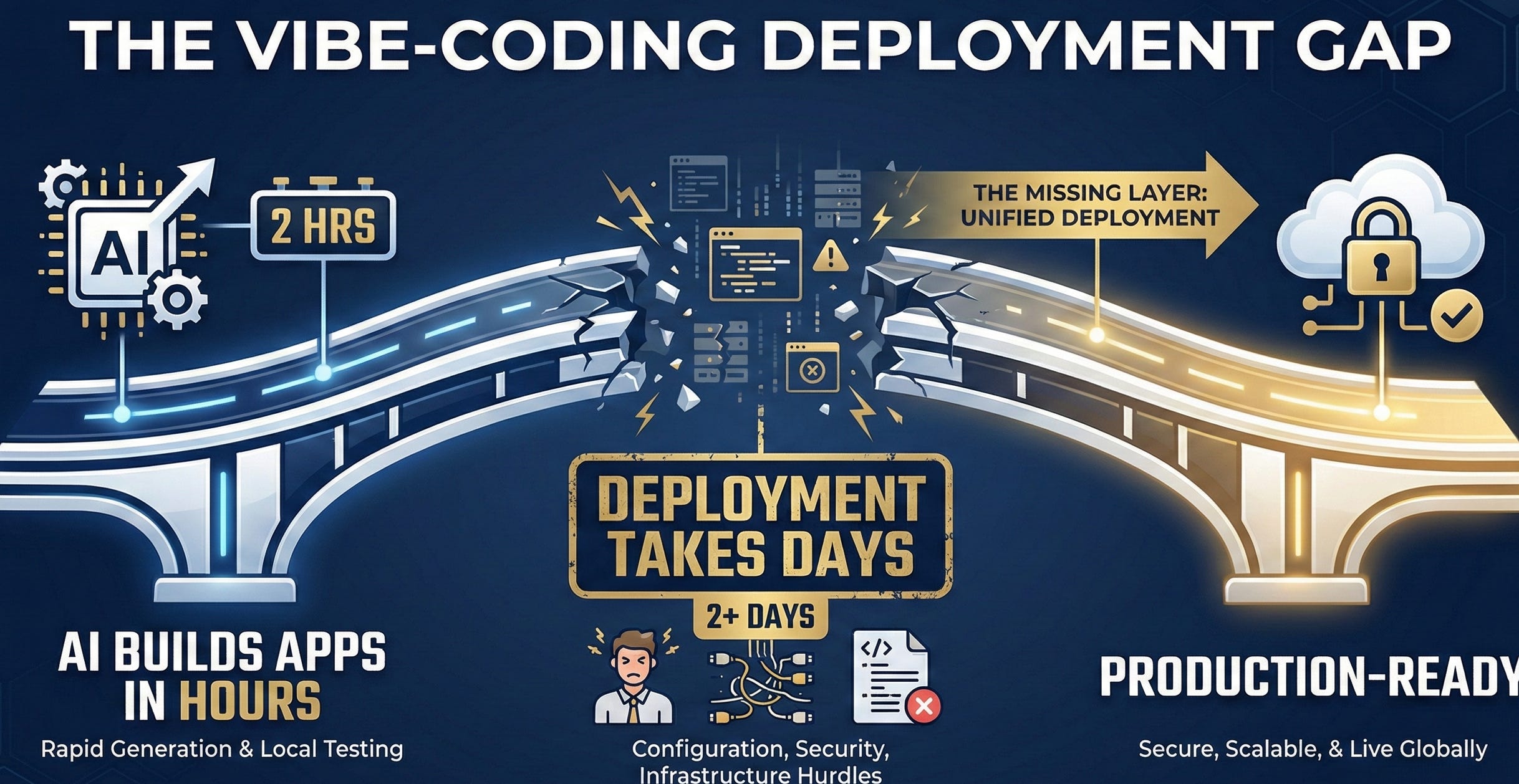
Based on analyzing hundreds of AI-generated applications that successfully made it to production, here’s what actually matters:
Essential Deployment Features
1. Full-Stack Support (Non-Negotiable)
Deploy frontend, backend, and database as a cohesive unit
Support for modern frameworks: React, Vue, Svelte, Next.js, Express, Fastify, NestJS
Database support: PostgreSQL, MySQL, MongoDB, Redis
No artificial limitations on application architecture
2. Zero-Configuration Deployment
Automatic detection of frameworks and dependencies
Auto-configuration of build processes
Intelligent environment variable handling
No Dockerfile required (but support custom if needed)
3. Database Management Without Tears
Automatic database provisioning
Built-in backup and recovery
Migration support (Prisma, Drizzle, TypeORM)
Connection pooling and optimization
No manual SSL certificate setup
4. Production Essentials Built-In
SSL/HTTPS by default (automatic certificate management)
CDN and edge caching for static assets
Environment variables and secrets management
Health checks and automatic restarts
Logging and basic monitoring
5. Scaling That Just Works
Automatic scaling based on traffic
No manual load balancer configuration
Database connection management at scale
Cost-effective resource allocation
6. Developer Experience First
Deploy from your IDE (not just terminal commands)
Real-time deployment logs and status
One-click rollbacks
Preview deployments for testing
Integration with AI coding tools
Nice-to-Have Features (But Important)
Custom domain support with automatic DNS
Team collaboration and access controls
Staging and production environments
API and webhook support for automation
Performance analytics and insights
Cost optimization recommendations
The Emerging Solution: IDE-Native Deployment for AI-Generated Apps
A new category of deployment tools is emerging, specifically designed for the vibe-coding era. These solutions recognize that deployment should be as simple as the code generation that preceded it.
What Makes Modern Deployment Different
1. Model Context Protocol (MCP) Integration
The Model Context Protocol allows AI assistants to interact with external tools directly. For deployment, this means:
Deploy from conversation: “Deploy this app” → Done
Natural language configuration: “Add a PostgreSQL database with these tables”
Intelligent troubleshooting: AI can read deployment logs and fix issues
Continuous iteration: Deploy, test, iterate without context switching
2. Full-Stack Awareness
Modern deployment platforms understand the full stack because they’re built for AI-generated applications:
Detected:
  Frontend: Next.js 14 with App Router
  Backend: Express.js with TypeScript
  Database: PostgreSQL with Prisma ORM
  Cache: Redis for session management
  Jobs: Bull queues for background tasks

Auto-configured:
  ✅ Build process optimized
  ✅ Database migrations ready
  ✅ Environment variables secured
  ✅ SSL certificates provisioned
  ✅ CDN configured
  ✅ Health checks enabled

Deployment Status: Live in 2 minutes
3. Cost Optimization for Indie Builders
Traditional platforms charge per service (frontend + backend + database = 💸💸💸). Modern solutions optimize for:
Consolidated billing
Resource sharing where appropriate
Auto-scaling down during low traffic
Free tiers that actually work for real projects
Transparent, predictable pricing
Real-World Deployment Workflow: From Vibe-Code to Production
Let’s walk through what deployment looks like when the gap is filled:
Traditional Deployment (The Old Way)
Time: 4-6 hours (if you’re lucky)
1. Research deployment options (30 mins)
2. Choose a platform (15 mins of decision paralysis)
3. Read documentation (1 hour)
4. Set up account and billing (10 mins)
5. Configure frontend deployment (30 mins)
6. Realize backend won't deploy here (5 mins of panic)
7. Research backend deployment options (30 mins)
8. Set up second platform (30 mins)
9. Configure database (1 hour of trial and error)
10. Debug CORS issues (45 mins)
11. Configure environment variables (20 mins)
12. Debug connection issues (1 hour)
13. Finally works! 🎉
14. Realize you have no HTTPS (30 mins to configure)
15. Database needs backups (didn't think about that...)
Modern Deployment (The New Way)
Time: 2-5 minutes
You: "Deploy this application"

AI: Analyzing your application...
    ✅ Detected: Next.js frontend + Express backend + PostgreSQL
    ✅ Installing dependencies
    ✅ Running database migrations
    ✅ Configuring environment
    ✅ Building frontend
    ✅ Deploying services
    ✅ Configuring SSL
    ✅ Running health checks

    🚀 Deployed successfully!

    Frontend: https://your-app.example.com
    Backend: https://api.your-app.example.com
    Database: Connected and ready

    What would you like to do next?
Common Deployment Challenges and Solutions
Challenge 1: Environment Variables and Secrets
The Problem: Managing API keys, database URLs, and secrets across development and production.
What to Look For:
Automatic secret generation (database passwords, JWT secrets)
Secure storage with encryption at rest
Easy secret rotation
No accidental commits to Git
Support for
.envfile format
Challenge 2: Database Migrations
The Problem: Your app works locally with SQLite, but production needs PostgreSQL. Running migrations manually is error-prone.
What to Look For:
Automatic migration detection (Prisma, Drizzle, Knex)
Safe migration rollback
Zero-downtime migrations
Seed data support for testing
Database version control
Challenge 3: Continuous Deployment
The Problem: Every code change requires manual redeployment.
What to Look For:
Git integration (push to deploy)
Automatic deployments from main branch
Preview deployments for pull requests
Rollback to previous versions
Deployment history and audit logs
Challenge 4: Monitoring and Debugging
The Problem: App works locally but fails in production. No idea why.
What to Look For:
Real-time logs accessible from IDE
Error tracking and alerts
Performance monitoring
Database query analytics
Uptime monitoring
Challenge 5: Cost Control
The Problem: Deployment costs spiral out of control.
What to Look For:
Transparent pricing calculator
Usage alerts and limits
Auto-scaling down during off-hours
Resource optimization recommendations
Free tier for experimentation
The Future of Deployment: AI-Native Infrastructure
As AI coding tools become more sophisticated, deployment infrastructure is evolving to match. Here’s what’s coming:
1. Predictive Scaling
AI analyzes your application patterns and pre-scales resources before traffic spikes:
AI: I noticed traffic increases every day at 2 PM.
    Scaling up 30 minutes early to ensure smooth performance.

AI: Weekend traffic is 70% lower than weekdays.
    Scaling down to save $47/month.
2. Intelligent Cost Optimization
AI: Your database queries are inefficient. Adding an index
    would reduce load time by 60% and save $23/month.

    Should I apply this optimization?
3. Security Hardening
AI: Detected potential security issue:
    - Your API endpoint /admin is publicly accessible
    - Recommendation: Add authentication middleware

    I can implement this fix. Proceed?
4. Performance Monitoring
AI: Your frontend bundle size increased by 40% in the last deploy.
    Main culprit: moment.js (should use day.js instead)

    I can refactor this to reduce load time by 2.3 seconds.
Choosing the Right Deployment Solution for Your AI-Generated Apps
Questions to Ask Before Choosing a Platform
1. Full-Stack Support
❓Can I deploy my entire application stack in one place?
❓ Does it support my specific framework combination?
❓ Are there hidden limitations (serverless timeouts, memory limits)?
2. Ease of Use
❓ Can I deploy without reading 50 pages of documentation?
❓ Does it integrate with my AI coding workflow?
❓ Can I deploy directly from my IDE?
3. Cost Transparency
❓ What’s included in the free tier?
❓ When will I start paying, and how much?
❓ Are there surprise charges (bandwidth, database storage)?
4. Production Readiness
❓ Is SSL/HTTPS automatic?
❓ Are backups included?
❓ What happens if my database crashes?
5. Developer Experience
❓ How quickly can I rollback a bad deployment?
❓ Can I see real-time logs?
❓ Is there support when things go wrong?
Red Flags to Avoid
🚩 “Read the Docs First” - If you need to read extensive documentation before deploying, it’s too complex
🚩 “Frontend Only” - If they can’t handle your backend, you’ll need multiple platforms
🚩 “DIY Database” - If you have to set up and manage your own database, you’re back to square one
🚩 “Configure Everything” - If every deployment needs 20+ configuration files, it’s not vibe-coder friendly
🚩 “Hidden Costs” - If pricing isn’t transparent upfront, expect surprises
Taking Action: Deploy Your First AI-Generated App Today
The 5-Minute Deployment Challenge
Most vibe-coders have at least one project sitting on localhost. Here’s how to get it live today:
Step 1: Assess Your App (1 minute)
✅ What's your frontend framework?
✅ What's your backend framework?
✅ What database are you using?
✅ Any additional services (Redis, queues, etc.)?
Step 2: Choose Your Deployment Method (1 minute)
IDE-native deployment (via MCP)
Git-based deployment (push to deploy)
CLI deployment (one command)
Step 3: Deploy (2 minutes)
Follow the platform’s quick start
Let automation handle configuration
Watch it go live
Step 4: Test Production (1 minute)
Click the deployment URL
Test critical features
Share with your first user
What Success Looks Like
A successful deployment means:
✅ Your app is publicly accessible (not just localhost)
✅ All features work (frontend + backend + database)
✅ It’s secure (HTTPS, environment variables protected)
✅ It’s fast (CDN, caching, optimized)
✅ You can iterate (easy to update and redeploy)
✅ You understand the cost (no surprise bills)
The Deployment Mindset Shift
The biggest change isn’t technical—it’s mental.
Old Mindset: “I need to learn DevOps before I can deploy.”
New Mindset: “Deployment is part of the building process, not a separate skill.”
Old Workflow: Build (2 hours) → Deploy (2 days) → Give up
New Workflow: Build (2 hours) → Deploy (2 minutes) → Iterate based on user feedback
Common Questions from Vibe-Coders
“Should I learn DevOps anyway?”
Short answer: Eventually, yes. But not before you ship.
Longer answer: Understanding deployment, databases, and infrastructure is valuable. But don’t let the lack of knowledge stop you from shipping. Deploy first, learn the details as you grow. By the time you need advanced DevOps knowledge, you’ll have real users and revenue to justify the investment.
“Is this deployment approach scalable?”
Yes. Modern deployment platforms are built on the same infrastructure that powers major applications (AWS, GCP, etc.). The difference is abstraction, not capability.
Start simple. When you’re serving 100,000 users and making $50K/month, you’ll have the resources to hire DevOps expertise or migrate to custom infrastructure. Until then, focus on building and shipping.
“What about vendor lock-in?”
It’s a valid concern, but: Vendor lock-in happens when you use proprietary features deeply integrated into your code. Modern deployment platforms deploy standard applications (Next.js, Express, PostgreSQL). Your code remains portable.
If you ever need to migrate, you’re moving infrastructure, not rewriting your application.
“Can I use this for serious production apps?”
Absolutely. Many revenue-generating SaaS applications, mobile app backends, and AI products run on these platforms. The question isn’t capability—it’s whether the platform matches your scale and budget.
The Bottom Line: Ship Your App Today
The deployment gap is the last barrier between vibe-coding potential and real-world impact. You’ve already proven you can build—AI helped you with that. Now it’s time to prove you can ship.
Three Truths About Modern Deployment
Deployment doesn’t have to be hard. The complexity is artificial, created by tools built for a different era.
You don’t need to be a DevOps expert. You need to choose the right abstraction layer for your current needs.
Your app deserves to be live. Every day it sits on localhost is a day you’re not getting user feedback, revenue, or validation.
Your Next Steps
Identify your stuck app - What’s sitting on localhost right now?
Choose a deployment approach - IDE-native, Git-based, or CLI
Deploy in the next hour - Not tomorrow. Not next week. Today.
Share your deployment - Tweet it, show friends, get your first user
The vibe-coding revolution democratized building. Modern deployment democratizes shipping.
The question isn’t “Can I deploy this?”
The question is “What will I build next, now that deployment isn’t a barrier?”